
How to move a WordPress site to a new host without losing data.
· 4 min read
You change hosts because the site is slow, because the plan got more expensive or because you need more power. The scary part is the move: whether something gets lost on the way, whether the site goes down, whether orders disappear. Below you will find how to properly move a WordPress site to a new host or a new domain, what has to be moved, which pitfalls come up and what Google recommends so you don't lose your search rankings.
What moving a WordPress site means
A WordPress site has two parts that must be moved together: the files (WordPress, the theme, the plugins and the uploaded images) and the database (pages, posts, settings, users and, for stores, products, orders and customers). At the end, the domain has to point to the new server, and if the address changes too, every link in the database has to be updated.
The steps of a move without losses
- A full backup — files and database, before anything else.
- Copying to the new server — files and database, checking that they arrived intact.
- Updating the settings — the site address, the database details and, if the domain changes, searching and replacing the old addresses.
- Testing on the new server — before changing DNS, you check the pages, the forms, the cart and the payment.
- Changing the DNS — the domain starts sending visitors to the new server, while the old site stays up until the change propagates.
- The final check — the SSL certificate, the emails the site sends and Google Search Console.
Moving a WooCommerce store
With a store, the risk is losing the orders that come in during the move itself. The solution is to keep the old site open until the last moment and to move orders, customers and products with their full history: order notes, refunds, billing and shipping addresses. Customer passwords can't be read when the move is done through the store's API keys, so in that case customers set a new one through “Lost your password”.
What Google says about moving a site
If the domain or the page addresses change, Google has an official guide, “How to move a site”. The main recommendation: each old address should send, through a permanent 301 redirect, to the matching new address. When you change the domain, you also use the Change of Address tool in Search Console, once the redirects are in place. Google says that for a medium-sized site, moving most pages in its index can take a few weeks, and ranking fluctuations during this time are normal.
Common pitfalls
- Old addresses left in the database — images and links still pointing to the old domain.
- Mixed content — images loaded over HTTP on an HTTPS site.
- Missing redirects — the old pages return a 404 error, and Google rankings are lost.
- Forgotten email — the mailboxes on the old host have to be moved too.
- SEO settings from plugins such as Yoast or Rank Math, which aren't always moved automatically.
WordPress site migration at RDN Network Data
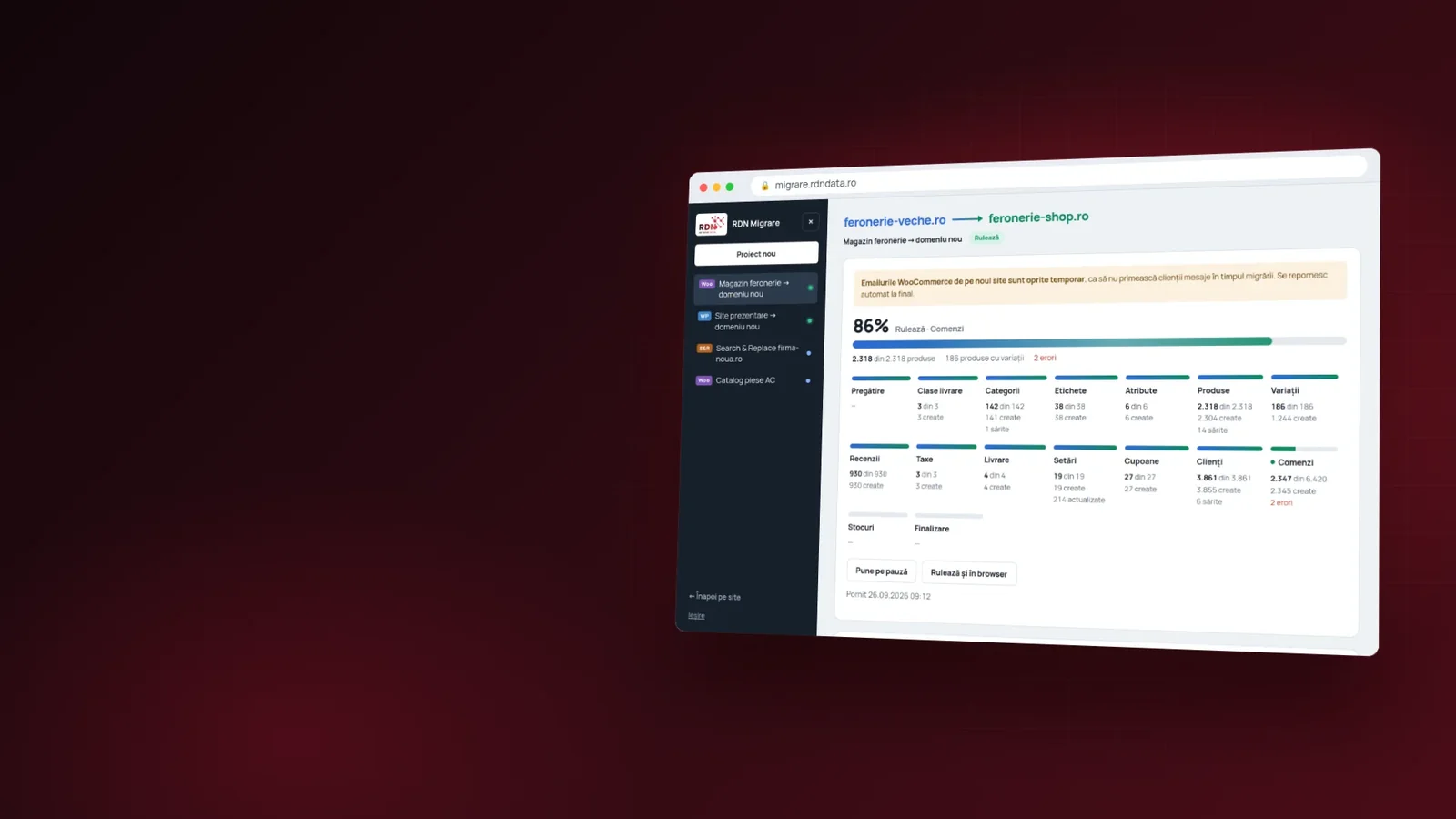
For migrations we built RDN Migrare: files go in 8 MB chunks, each one verified, and if the transfer is interrupted, it resumes where it left off. The old site stays up the whole time. If we do it for you, the move costs €139 for a WooCommerce store, €79 for a complete WordPress site and €39 for a search-and-replace run in the database. If you do it yourself with the app, a session costs €69, €39 and €19 respectively.
For customers moving their site to our hosting, the migration is free.
Frequently asked questions about moving a WordPress site
Does the site go down during the move?
It doesn't have to. The old site stays up until the DNS sends visitors to the new server, and only then is it switched off.
Will I lose my Google rankings if I change hosts?
If you stay on the same domain and the site works the same, no. If you change the domain, you need 301 redirects from every old address, as Google recommends.
Are the store's orders and customers moved too?
Yes, along with order notes, refunds and shipping addresses. Customer passwords are reset through “Lost your password” when the move is done through the API.
Can I move the site to a new domain at the same time?
Yes. The old address is replaced throughout the database, including the theme settings and pages built with Elementor.
In short
A good move starts with a backup, tests everything on the new server before the DNS change and keeps the old site up until the end. Write to us about your site and where you want to move it, and we will tell you how to do it without losses.
Official sources
- Google Search Central: How to move a site
- Google Search Console: Change of Address tool
Read next

· 9 min
SSL certificate: what it is, why you need HTTPS and how to choose one
Without an SSL certificate, browsers mark your site “Not secure”. See what an SSL certificate does, how HTTP differs from HTTPS and how to choose between DV, OV and EV.
Read the article
· 6 min
What shared hosting is and when it suits you
Shared hosting splits one server between several sites to bring the price down. See what you get, where the limits are and how to choose the right plan.
Read the article
· 4 min
Server colocation: what it is and why to move your server to a data center
Colocation means your server sits in a professional data center, with redundant power, cooling and internet. See what colocation is and when it beats a server kept at the office.
Read the article