


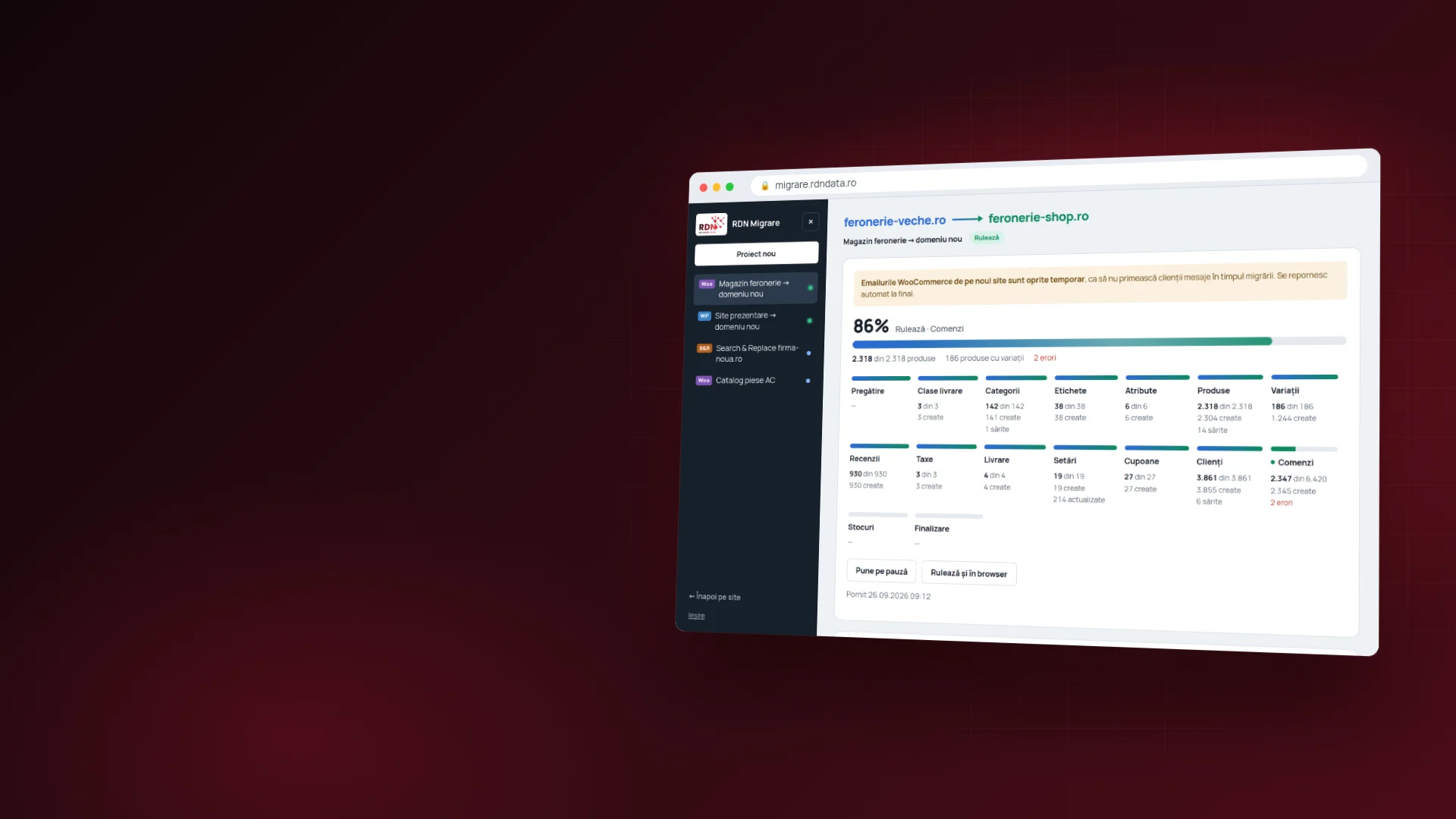
Remote IT support with RDN Remote


RDN Remote
Computer help without a trip to the office.
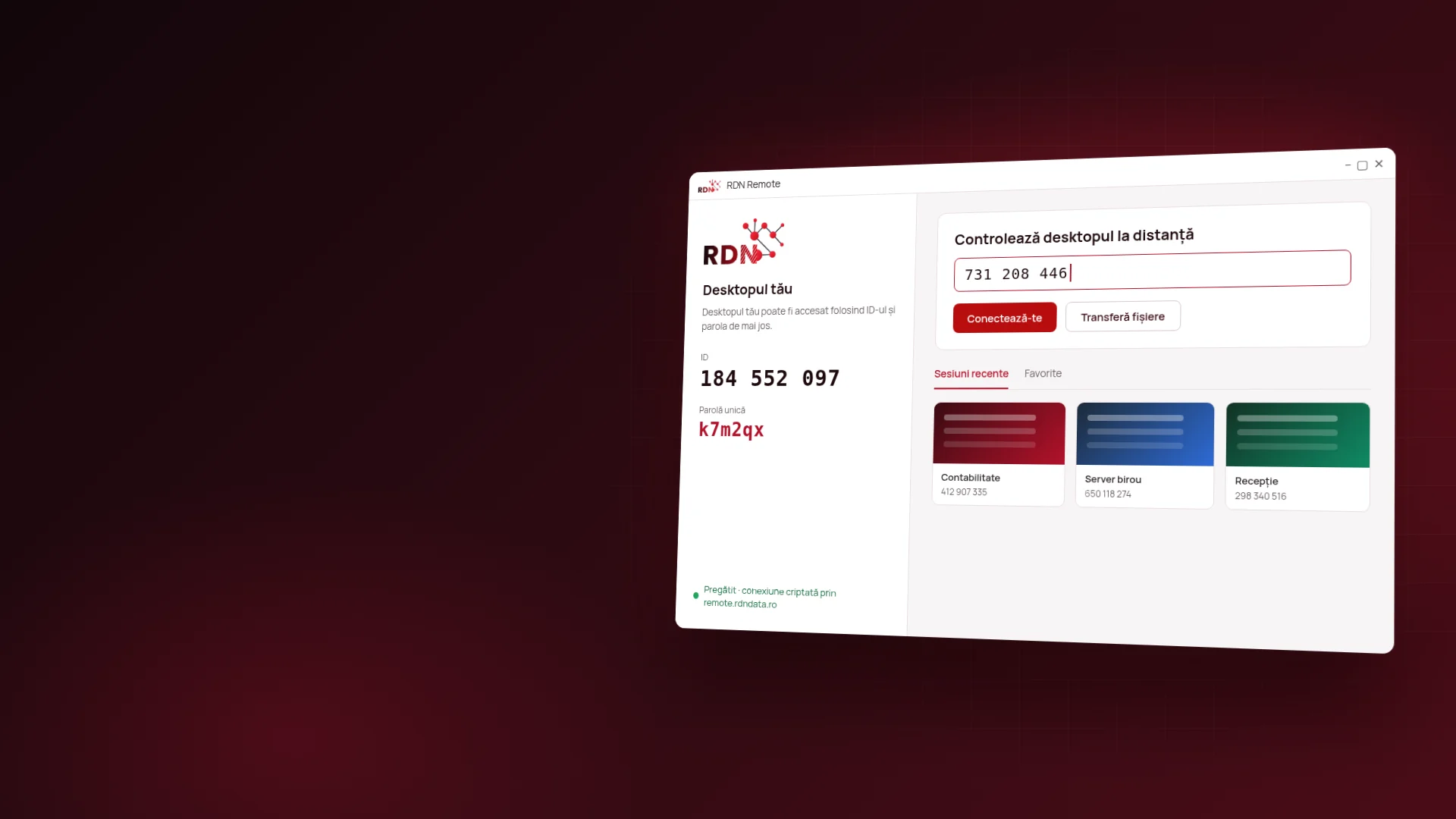
When a program freezes, the printer won't start or a server needs attention, our technician connects to your computer and fixes it on the spot. No trip to the office, over an encrypted connection that only passes through our server in Romania.
What you can do
Three ways to get help.
The same app covers a quick phone call, server administration and file transfers. All the features →

Instant help
You call us, open the app and give us the ID and password it shows. You see everything the technician does on screen and close the connection with one click, whenever you want.

Unattended servers
For the company servers and computers we manage: a permanent password, and on Windows the app runs as a service and starts with the system.
Files and terminal
Besides controlling the screen, the technician can copy files both ways or work in the command line, without taking over your screen while you work.
Security
Why you can let the technician onto your computer.
When you need help now.
For the whole company, in five stages.
Pricing
What RDN Remote costs.
An auto-renewing subscription, in euros. Every connected device takes up one seat in the license. Compare the plans →
RDN Remote
Standard
- 1 concurrent connection, up to 20 on request
- 500 devices with unattended access
- unlimited interactive sessions
- file transfer and session recording
- privacy mode and multiple monitors
- automatic updates for as long as the subscription lasts
RDN Remote
Advanced
- 5 users included, as many more as you need
- 2,000 devices with unattended access
- single sign-on (SSO) and your own namespace
- in the cloud or on your company's servers
- integration with your CRM and ticketing system
- dedicated support team, plus everything in Standard
Pay for several months at once.
Choose the period, and the subscription renews itself at the end, with no interruption.
RDN Remote Standard
RDN Remote Advanced
Which computers and phones it runs on.
Frequently asked questions
What you want to know about remote access.
Security is the first question, and rightly so: it's your computer. All the questions →

What is RDN Remote?
Our remote desktop app, which RDN Network Data technicians use to help you directly on your computer. It's built on RustDesk, an open-source technology, and connects only to our server in Romania, with no account and no setup during installation.
How is it different from other remote access apps?
It works on the same principle, with an ID and a password, but the connection passes through our server, not a foreign one, and the source code is public, under the AGPL-3.0 license. Every connection appears in the security log we monitor.
Can someone get into my computer without me knowing?
No. Access requires the ID and password shown in the app, and the one-time password expires at the end. Never give these details to someone who calls you unsolicited: we don't ask for access unless you've contacted us.
Does it work on company servers too, when no one is sitting at them?
Yes. On the servers and computers we manage we set a permanent password, and on Windows the app starts with the system. That way we can step in at night too, without anyone waiting by the computer.
Why do I need a license code?
So the app can't be used by just anyone who downloads it. You get the code from us, for your computers, and it can be switched off at any time if a computer is sold or lost.
Where do I download the app?
From remote.rdndata.ro. The page recognizes your system on its own and shows you the right file, with its SHA-256 checksum for verification. On Windows and macOS, the app then updates itself.
Need help?
Tell us what isn't working.
Call us or write to us, and the technician connects as soon as you've installed the app. For companies we prepare licenses for all the computers.