
Remote IT support: how it works and when it helps.
· 4 min read
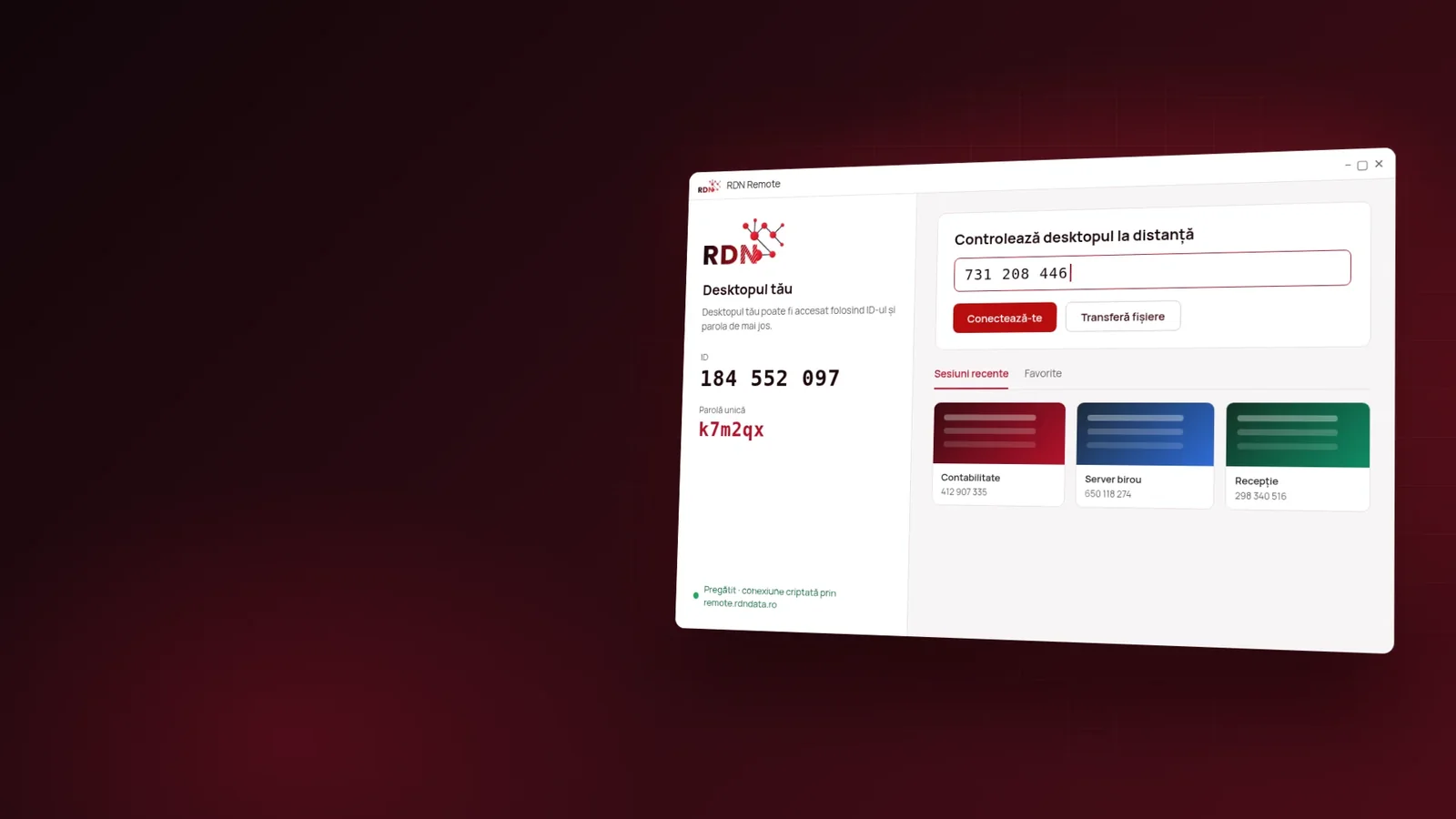
The printer stops printing, a program won't start or the accountant can no longer connect to the server, and by the time someone gets to the office a day has gone by. Remote IT support shortens the trip: the technician connects to your computer, with your consent, and fixes the problem in minutes. Below you will find how remote support works, what it can fix, how to protect yourself from fake support scams and what to ask of a remote access app.
What remote IT support is
Remote IT support means a technician sees your computer screen and can use the mouse and keyboard over the internet, through a remote access app. You see everything they do, in real time, and you can end the connection at any moment.
How a remote support session works
- You start the remote access app you received from the support company.
- You give the technician the ID and password shown by the app, only after you have contacted them yourself.
- The technician connects and you see everything they do on screen.
- The problem gets fixed, and at the end you close the connection; the one-time password expires.
For servers and computers that are managed permanently, unattended access can be set up with a permanent password, so work can be done at night too, with nobody sitting next to the computer.
What remote support can fix
- installing and configuring software, including accounting software;
- problems with email, network printers and the connection to the server;
- system updates and antivirus checks;
- file transfers and recovering documents deleted by mistake;
- quick training for an employee, right on their screen.
Hardware problems, such as a failed drive or a burnt-out network card, still require an on-site visit.
How to protect yourself from “tech support” scams
One of the most widespread scams is a call from a fake technician who tells you that you have a virus and asks you to install a remote access app. A few simple rules:
- never give the ID and password to someone who called you unsolicited;
- start the contact yourself, at the number you know belongs to the support company;
- watch the screen for the whole session and close it if something seems wrong;
- use an app with a connection log, so you can see who connected and when.
The US NIST institute's remote access guide, SP 800-46, recommends the same logic: encrypted connections, strong authentication and access limited to what is necessary.
What to ask of a remote support app
- End-to-end encryption of the connection.
- The server the connection passes through — ideally in your own country, not somewhere unknown.
- A security log with every connection.
- One-time passwords that expire after the session.
- Public source code, so anyone can check what the app does.
Remote IT support at RDN Network Data
For remote IT support we use our own app, RDN Remote, built on the open-source RustDesk technology, with public source code under the AGPL-3.0 license. The connection passes only through our server in Romania, and every connection appears in the security log. The app is downloaded from remote.rdndata.ro, with a SHA-256 checksum for verification.
The Standard plan costs €10 per month, with unlimited interactive sessions and up to 500 devices with unattended access. The Advanced plan costs €50 per month, with 5 users included, up to 2,000 devices, single sign-on (SSO) and the option to run on your company's own servers. For complete support, with on-site visits too, we also offer IT outsourcing.
Frequently asked questions about remote IT support
Is it safe to let a technician into my computer?
Yes, if you contacted the support company yourself and use an app with an encrypted connection and passwords that expire. You see everything the technician does and can close the session at any time.
Can someone connect to my computer without my consent?
No, not without the ID and password shown in the app. That is why you never give them to someone who called you unsolicited.
Does remote support work on servers too, when nobody is at the office?
Yes. Unattended access with a permanent password is set up on managed servers, so work can be done at any time.
What can't be fixed remotely?
Hardware faults, such as a broken drive or a burnt-out component, which require an on-site visit.
In short
Remote IT support fixes most problems in minutes, with no travel, as long as it is done with a secure app and only at your request. Write to us about your problem and we will help you right on your computer.
Official sources
Read next
· 9 min
SSL certificate: what it is, why you need HTTPS and how to choose one
Without an SSL certificate, browsers mark your site “Not secure”. See what an SSL certificate does, how HTTP differs from HTTPS and how to choose between DV, OV and EV.
Read the article
· 6 min
What shared hosting is and when it suits you
Shared hosting splits one server between several sites to bring the price down. See what you get, where the limits are and how to choose the right plan.
Read the article
· 4 min
Server colocation: what it is and why to move your server to a data center
Colocation means your server sits in a professional data center, with redundant power, cooling and internet. See what colocation is and when it beats a server kept at the office.
Read the article